Work From Home — Open Learning Plan
Full public course and member learning access
Free0.00 Website Tokens
 EDWARDS
EDWARDS THEME · OPEN COURSE
TENTH MATERIAL SET ADDEDBuild a focused, healthy and productive home-working practice through videos, guided actions, written studies, downloadable guides and ethical campaign design.

This preview introduces the first batch of the Work From Home curriculum. Each lesson combines a short video, key learning points and one practical action.
This is the same visible plan-access layout used by the Branding course. Free plans enrol the member directly; paid plans use Website Tokens and are recorded in Payments → Transactions.
Full public course and member learning access
Lessons 1–3 establish productive habits, an intentional workspace and a dependable routine.
Lessons 4–7 protect connection, control overwhelm and create the conditions for deep work.
Lessons 8–10 simplify your toolset, improve enjoyment and put high-impact work first.
Study the supplied graphics, understand digital delivery language and apply ethical calls to action.
Open second material set →Follow seven written lessons in workspace, time, routine, boundaries, growth and connection.
Open third material set →Turn productivity reading into six realistic practices and a five-minute next-day reset.
Open fourth material set →Study animated banner proportions, message adaptation and truthful calls to action.
Open fifth material set →Adapt truthful course messages for email, public social posts, communities and short-form updates.
Open sixth material set →Evaluate blogs and online communities, participate responsibly and build trust through useful contribution.
Open seventh material set →Compare broad and narrow phrases, interpret historical metrics and turn search intent into useful learning content.
Open eighth material set →Turn twenty self-discipline ideas into a flexible five-phase practice for sustainable home working.
Open ninth material set →Read six campaign graphics critically and design truthful offers, bonuses and functional calls to action.
Open tenth material set →Move in sequence or open the lesson that addresses your current challenge. Complete the action before continuing.
Turn intention into a clear first action.
Apply it nowChoose one delayed task. Write its smallest useful first action and begin it for five focused minutes.
Design a space that supports attention.
Apply it nowRemove three distractions and arrange the tools needed for tomorrow’s most important work.
Give the workday a dependable structure.
Apply it nowDraft tomorrow’s routine with a start time, two focus blocks, breaks and a clear finish time.
Protect connection and emotional wellbeing.
Apply it nowPlan one meaningful check-in, shared work session or community activity for this week.
Control small demands before they control attention.
Apply it nowList every small open task, group similar items, then choose one short batch to complete.
Create the conditions for deep work.
Apply it nowSet a 25-minute distraction-free session with one measurable outcome and silence all nonessential alerts.
Begin with energy, clarity and direction.
Apply it nowWrite a repeatable three-step morning sequence that ends by naming your most important task.
Choose tools that simplify the system.
Apply it nowAudit your current tools. Keep one main tool for tasks, one for communication and one for files.
Make productive work sustainable and humane.
Apply it nowChoose one change that will make your workspace or schedule more enjoyable and apply it today.
Use your strongest attention on high-value work.
Apply it nowName tomorrow’s biggest challenge tonight and prepare the first materials needed to begin it.
The supplied headers, buttons, video index and delivery graphics are now taught as learning materials—not left as unexplained sales-page decorations.
Enter the Visual Resource & Access Studio →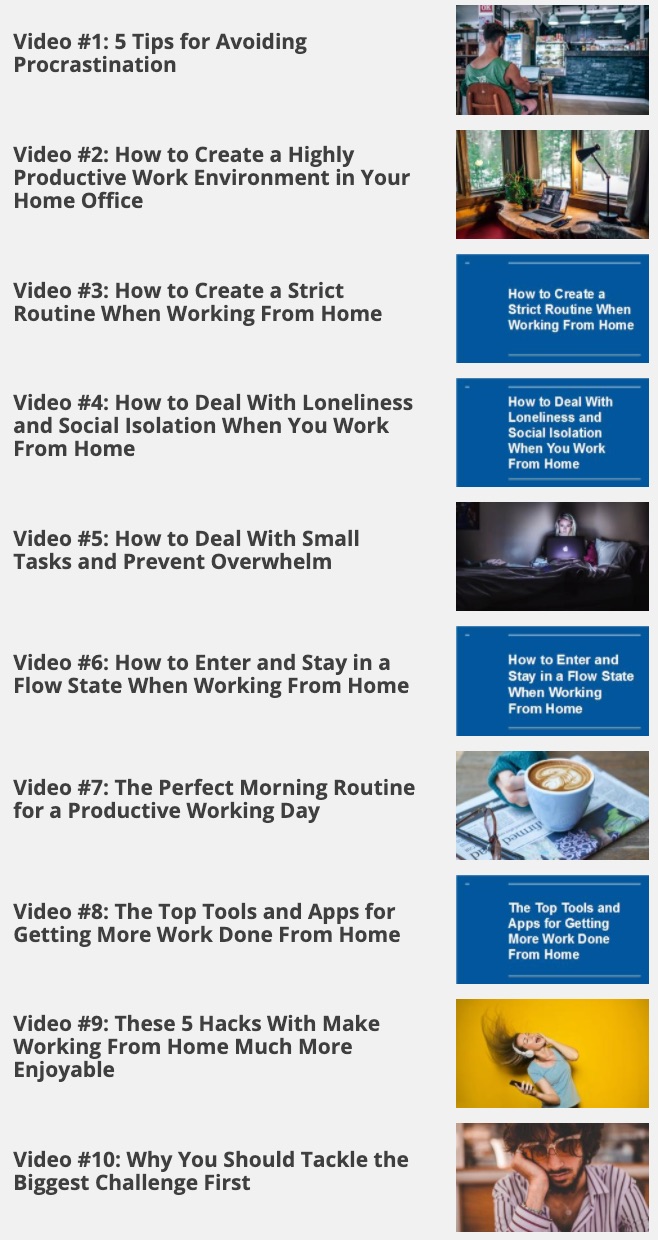
A Times New Roman written-learning series turns the supplied daily messages into complete lessons with definitions, meanings, illustrations, activities and downloadable source texts.
Study task bridges, priority lists, workspace resets, real downtime, idea capture and adaptable morning anchors. Download the supplied PDF and editable Word guide.

Learn how banners, bundle graphics and course messages change across proportions while remaining consistent, truthful and functional.
Open the Promotional Tools Studio →Refine the supplied email signatures, public posts, forum lines and short updates through definitions, ethical editing and copy-ready illustrations.
Turn the supplied blog, forum and group directories into a source-evaluation and ethical-community learning lab with definitions, downloadable files and a functional research checklist.
Explore the supplied keyword report and broad and narrow Excel datasets through definitions, historical-data guidance, intent illustrations and an interactive learning practice.
Study the supplied 21-slide presentation through definitions, a five-phase learning plan, an interactive habit deck, contextual adaptations and original PDF, PowerPoint and transcript downloads.
Study six supplied campaign graphics through definitions, visual analysis, ethical copy rewrites, a four-stage decision path and a practical redesign activity.
After lesson ten, review your actions. Keep the routines that increased focus, energy and wellbeing; adjust the ones that did not.
Explore another Edwards Theme course → VISUAL ARTS